10 min read
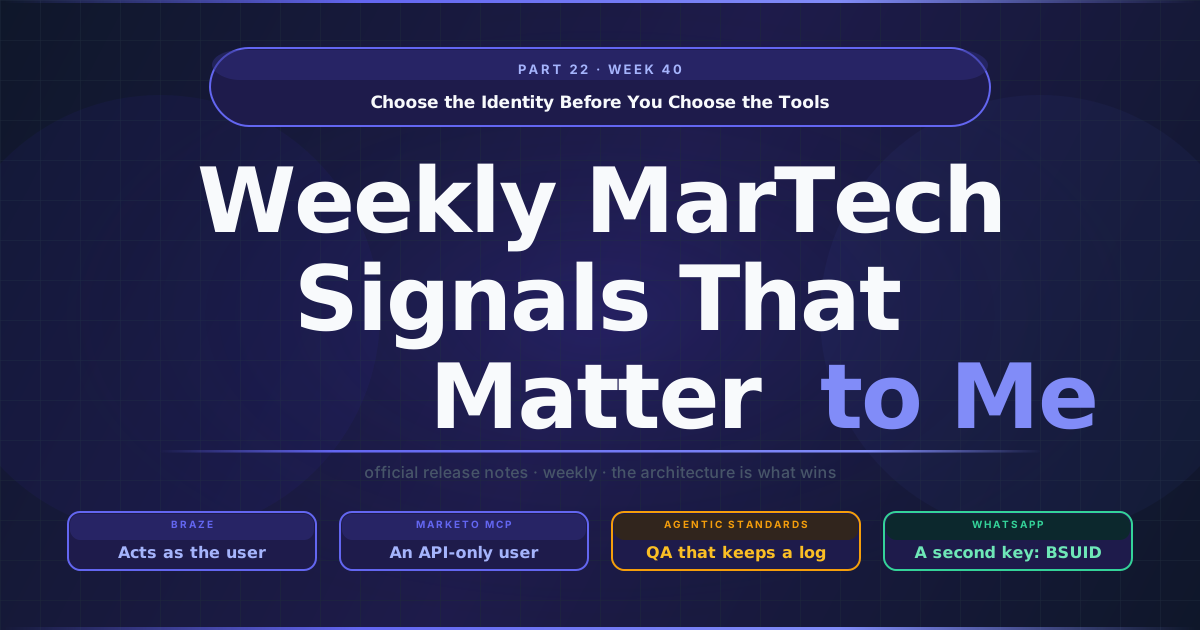
Choose the Identity Before You Choose the Tools
When a client asks me whether they can let an AI agent work inside their marketing platform, the conversation usually starts with what the agent can do: which tools, which objects, read or write. I have started to move that question to second place. The first one is whose name the agent acts under, because that answer decides what the audit log will say, how access is taken away, and who gets the call when a campaign goes out wrong. This week three vendors answered it in three different ways, two of them on platforms among the nine I run in production (Adobe Journey Optimizer, Adobe Campaign, Marketo Engage, Bloomreach, Braze, Insider, Iterable, Salesforce Marketing Cloud and Marketing Cloud Next).
TL;DR
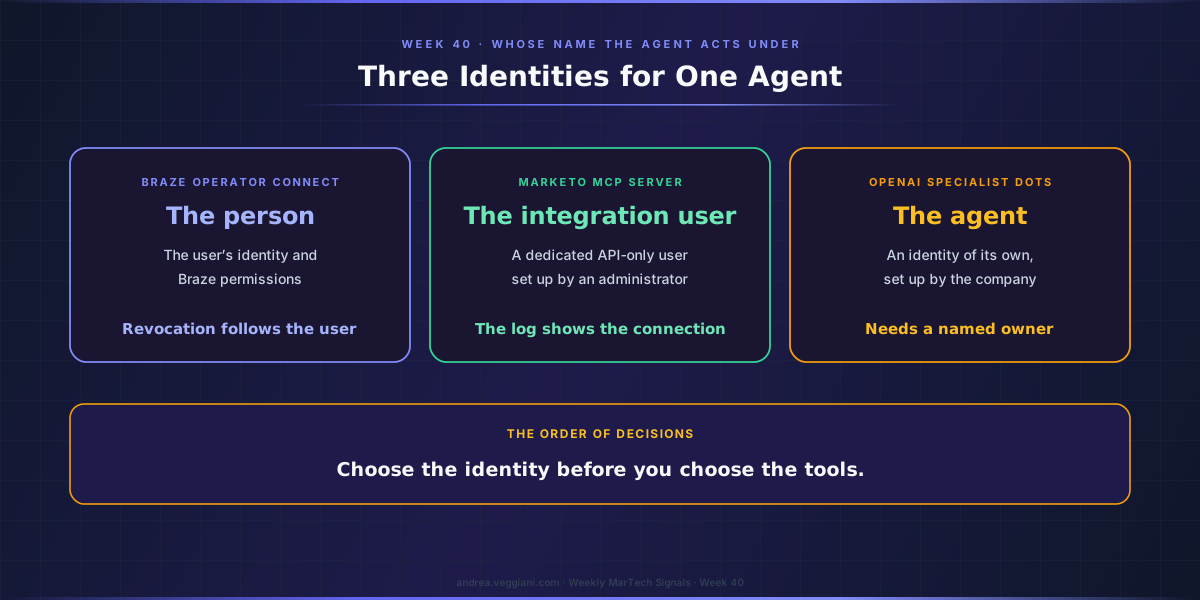
- Three vendors gave the same agent three different identities. Braze’s Operator Connect acts “under the individual user’s identity”, Marketo’s MCP server inherits the permissions of a dedicated API-only user, and OpenAI’s specialist dots have an identity of their own.
- Each model puts the governance work in a different place. A personal identity rewards a role review before the pilot, an integration user wants one dedicated API user per use case, and an agent identity needs a named owner who answers for it.
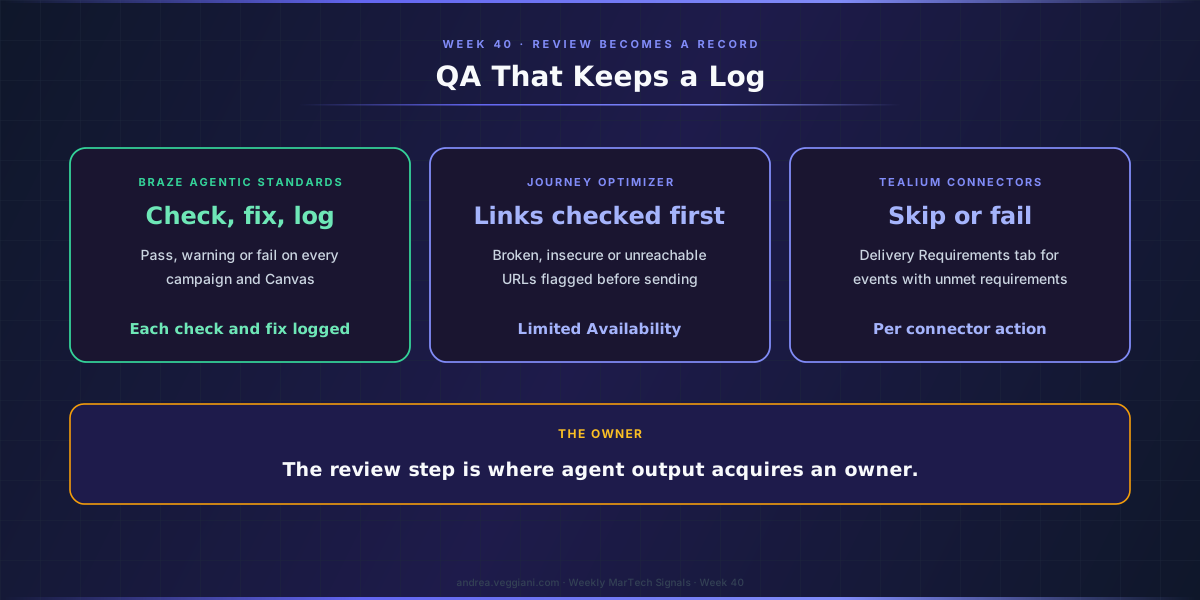
- QA is turning into a record. Braze’s Agentic Standards checks every campaign and Canvas against brand rules and logs each check and fix, and Journey Optimizer’s URL validation and Tealium’s Delivery Requirements tab are smaller versions of the same idea.
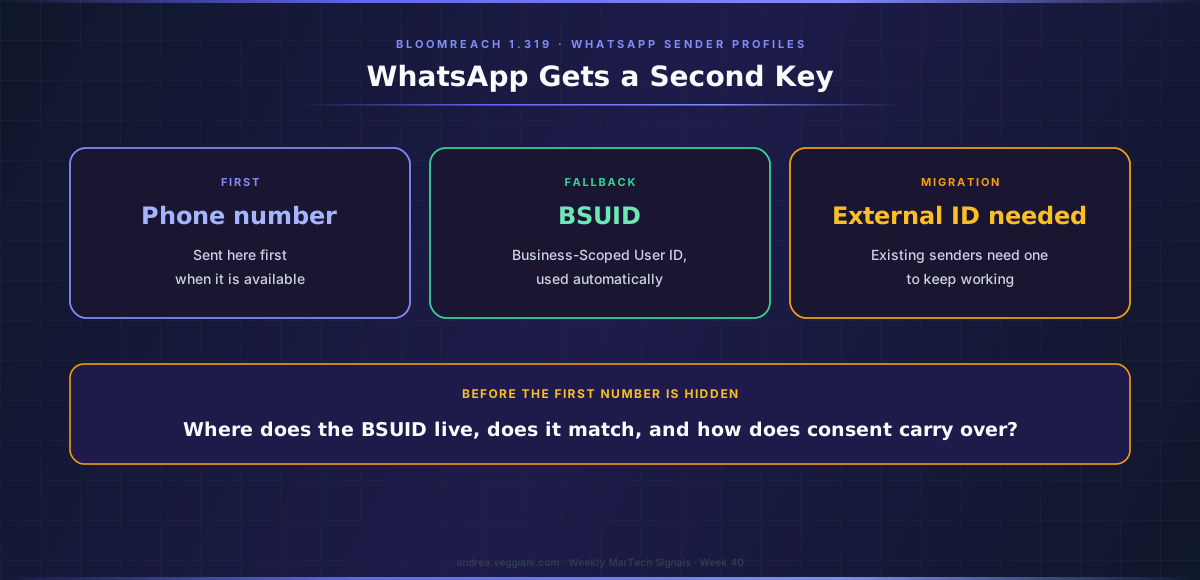
- WhatsApp gets a second key. Bloomreach 1.319 adds Business-Scoped User IDs and asks existing senders for an external ID, so decide where the BSUID lives and how consent carries over before customers hide their numbers.
Three identities for one agent
At its Forge conference on 29 September, Braze announced BrazeAI Operator Connect, which brings its Operator into Claude, ChatGPT, Snowflake Cortex Code, Microsoft Copilot and other MCP-compatible tools. The announcement states the identity model in one sentence: “the actions are authenticated under the individual user’s identity and governed by that user’s Braze permissions.” It is in beta, and it extends the model Braze already used for its remote MCP server, which reached general availability in the 17 September release. The agent is you, with your role and your limits.
Adobe’s answer for Marketo Engage is different, and I have to start with a correction. The Week 40 MarTech Watch now records that the Marketo Engage MCP Server has been in open beta since the May 2026 release, with a full page in Adobe’s Marketo Developer Guide. Earlier editions described it as undocumented because the scan read only the current release-notes page, and that was wrong. The documentation is clear about identity: credentials travel with each request, and “Effective permissions are inherited from the Marketo API-only user assigned to the customer’s LaunchPoint service.” The agent is an integration user, configured by an administrator.
OpenAI took the third path, for the agents it builds with organisations. Its new dots, launched at DevDay and covered in the companion AI Watch and in this week’s AI essay, are always-on agents with their own cloud computer and browser, and the ones most people will meet work on the user’s behalf, with app permissions managed through ChatGPT’s existing controls. The launch page also previews specialist dots, which a company sets up “with its own identity, credentials, and access to the systems it needs”, and among the first areas where OpenAI is piloting them it lists email marketing. A specialist dot is neither you nor a service account. It is itself.
None of these models is wrong, and I would not rank them in the abstract. They answer different questions. A personal identity tells you who asked. An integration user tells you which connection acted. An agent identity tells you which agent did it, and leaves the organisation to decide who answers for that agent. What I would resist, in my reading, is the idea that this is an implementation detail for the platform team. It decides whether the audit trail of a campaign launched through an AI assistant leads back to a person, to a shared credential, or to a named agent, and that is a governance decision before it is a technical one.
Braze: the person is the boundary
The strength of the Braze model is that revocation follows the person. Braze’s MCP documentation says that if a dashboard user loses access in Braze, the client loses access too, and the 17 September release added SCIM provisioning that syncs groups from Okta and Microsoft Entra ID into Braze custom roles. On a stack where the identity provider already manages joiners and leavers, the agent inherits that discipline without anyone designing it twice.
The model also inherits whatever is untidy about your user base. If a team shares a dashboard login, the agent shares it too. If roles were granted generously during an implementation and never reviewed, the agent works with those generous roles. Braze’s documentation adds two practical limits that matter for enterprise rollouts: the remote server cannot be used by customers that rely on IP allowlisting, and Braze recommends against using a client’s auto-mode for actions, because the platform enforces who you are while the client decides whether a person reviews each action before it runs.
My practical reading is that a personal-identity model rewards a role review before the pilot. It is the cheapest control available, and it is the one the agent will lean on hardest.
Marketo: the service account is the boundary
The Marketo model will look familiar to anyone who has connected a CRM or a data warehouse to Marketo Engage. The MCP server is hosted by Adobe, exposes more than 100 operations across forms, programs, smart campaigns, leads, emails, snippets, lists and folders, and only accepts requests for approved instances, identified by Munchkin ID. It does not store credentials between requests, and it inherits the instance’s API rate limits.
Adobe’s own advice in the documentation is the line I would put on the project plan: “Use a dedicated API user in Marketo with only the permissions required for your work. Do not reuse admin credentials for API access.” The operations include creating smart campaigns, adding flow steps and activating or deactivating campaigns, and the page notes that smart list and smart campaign create and update tools are targeted for a September 2026 release. Adobe also states that MCP integrations are provided as is, and encourages sandbox testing and careful review of every MCP-initiated action before relying on it.
On many of the Marketo instances I have worked on, one integration user serves several tools at once, because creating API users was treated as an administrative chore. With an agent in the picture, that habit becomes a liability: the audit log will show the integration user, and the person who typed the prompt will not appear in it. A dedicated API user per agent use case, with a role scoped to what that use case needs, is the version of this model I would sign off.
Quality assurance becomes a product, and it keeps a log
The second Forge announcement interests me more than the decisioning agent that will draw the headlines. Agentic Standards, also in beta with general availability expected in October, reviews every campaign and Canvas against rules a brand sets once in Braze, covering setup, copy, links, personalization, compliance and brand guidelines. Each check reports pass, warning or fail, and working with Operator it can apply the fix, “with human sign-off wherever a brand wants it.” The sentence that matters is the next one: “Each check and fix is logged for audit.”
QA has always been the step that slows a launch and the hardest one to evidence afterwards. A logged check turns review into a record, and a record is what an auditor, a regulator or a client’s legal team actually asks for. The same idea appears in smaller form elsewhere in the Week 40 record. Adobe Journey Optimizer added URL validation to content simulation, in Limited Availability, flagging broken, insecure or unreachable links before sending. Tealium added a Delivery Requirements tab to its connector actions that lets a team decide whether an event with unmet requirements is skipped or fails.
In my reading, these are the controls that make agent-produced work governable. When an agent drafts a campaign, the review step is where the output acquires an owner. If that step leaves a log, the question of who approved what stops depending on memory.
WhatsApp stops being a phone number
Away from agents, one change this week touches the data model directly. WhatsApp is rolling out usernames, and Meta assigns a Business-Scoped User ID, or BSUID, to every customer who messages a business account. Bloomreach 1.319 adds BSUID support to WhatsApp sender profiles: it keeps sending to the phone number when it is available and falls back to the BSUID automatically. It also carries a migration step that deserves a calendar entry: “Your current senders need an external ID to keep working under the new model.” Salesforce Marketing Cloud Engagement documents the same identifier in its Winter ‘27 release notes, under reaching WhatsApp users with usernames.
On most stacks I see, the phone number is the only WhatsApp key on the profile, and consent for the channel is recorded against it. A second identifier raises three questions that are worth answering before the first customer hides a number: where the BSUID lives in the profile model, whether identity resolution treats it as a match key, and how consent captured against a phone number carries over when the phone number is no longer visible. None of these is difficult. All of them are easier before the migration than after it.
Three questions before switching any of it on
The agent announcements will keep coming, and every vendor on the watchlist will eventually answer the identity question one way or another. On public documentation as of publication, I would put three questions to any agent capability before the first pilot, whichever of the three models the vendor chose.
Whose identity does the agent act under, and does that identity carry only the permissions the use case needs? For a personal model that means a role review; for an integration user, a dedicated user per use case; for an agent identity, a named owner who answers for it.
What is logged, and where? A tool call recorded under a shared credential tells you less than a check recorded with its result and the person who signed it off.
How is access taken away, and how fast? Revocation that follows the person, the integration user or the agent should be tested once, on purpose, before it is needed.
An agent’s permissions are only as good as the identity they are borrowed from, so choose that identity before you choose the tools.
Sources
Braze
- Braze Accelerates AI Innovation. Source for Operator Connect and its identity statement, Agentic Standards and its logging statement, and the beta and general availability status, published 29 September 2026.
- September 17, 2026 release. Source for the remote MCP server general availability and SCIM provisioning for IdP groups.
- About the Braze MCP server. Source for loss of access with the dashboard user, the IP allowlisting limitation and the auto-mode recommendation.
Adobe
- Marketo Engage MCP Server. Source for the operations, the API-only user permission model, the instance allowlist, the dedicated-user advice, the targeted smart list and smart campaign tools and the as-is statement.
- Marketo Engage release notes, May 2026. Source for the open beta status.
- Journey Optimizer release notes. Source for URL validation in content simulation.
OpenAI
- Introducing dots. Source for the user-side dots and their app permissions, the cloud computer, the specialist-dot identity and the pilot areas, published 29 September 2026.
Bloomreach and Salesforce
- Bloomreach release 1.319. Source for BSUID support, the fallback behaviour and the sender migration.
- Salesforce Winter ‘27 release notes, Marketing Cloud Engagement. Source for BSUID support in Marketing Cloud Engagement.
Tealium
- Tealium release notes. Source for the Delivery Requirements tab.
The record
- MarTech Watch, Week 40. Every date and status referenced in this essay, the correction on the Marketo MCP server, and the Salesforce late captures.
- AI Watch, Week 40. The dots record.
The digest behind each weekly article is produced through a structured AI-assisted scan of official release notes and product update sources. I review the output, verify the relevant signals and write the architectural interpretation.
This article draws from the Martech Weekly Digest scans run on October 1, 2026, covering 25 September to 1 October across several CEP platforms and vendors. The dated record behind it is in MarTech Watch, Week 40.
If you find errors or gaps in coverage, I want to know. The process improves when the output is challenged.