8 min read
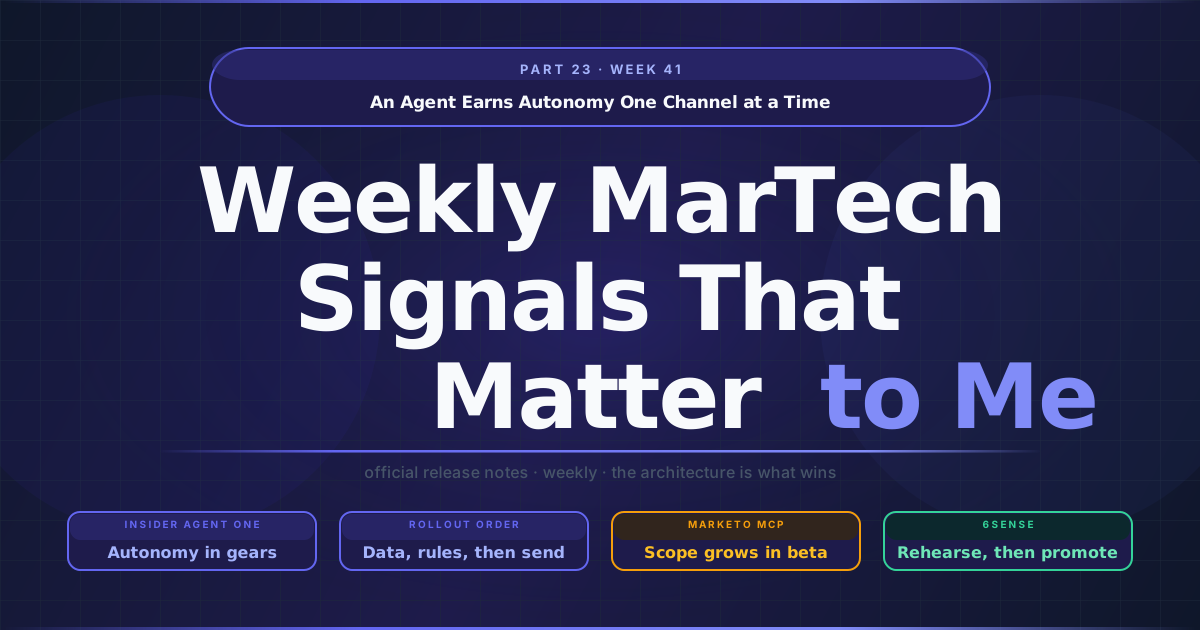
An Agent Earns Autonomy One Channel at a Time
Over the past few editions I have written about what an agent is allowed to touch and whose name it acts under. Both questions matter, and both are answered once, at configuration time. The releases in the Week 41 MarTech Watch point at a question that is answered many times over the life of a programme: how a team lets an agent go a little further, then a little further again, without betting the brand on the first step. Several vendors shipped pieces of the answer, and none of them ships the whole thing.
TL;DR
- Autonomy is becoming a setting per use case and channel. Insider’s Agent One documents Command, Advance and Co-Pilot modes, set separately for each use case and channel, and advises raising autonomy one decision at a time.
- Agent workflows get a rehearsal stage. 6sense now lets teams build and test workflows in a sandbox and promote them to production through a guided process, with a sandbox path for Sales Intelligence exports too.
- The order of switching things on is itself a control. Iterable says to store consent values before enabling consent-based open tracking, and Insider says to set guardrails before the first Content Set.
- A pilot’s scope can grow under it. Marketo’s MCP server, still in open beta, now lists smart list operations, so keep a dated copy of the tool inventory you approved and treat each new write operation as a fresh approval.
Autonomy comes in gears
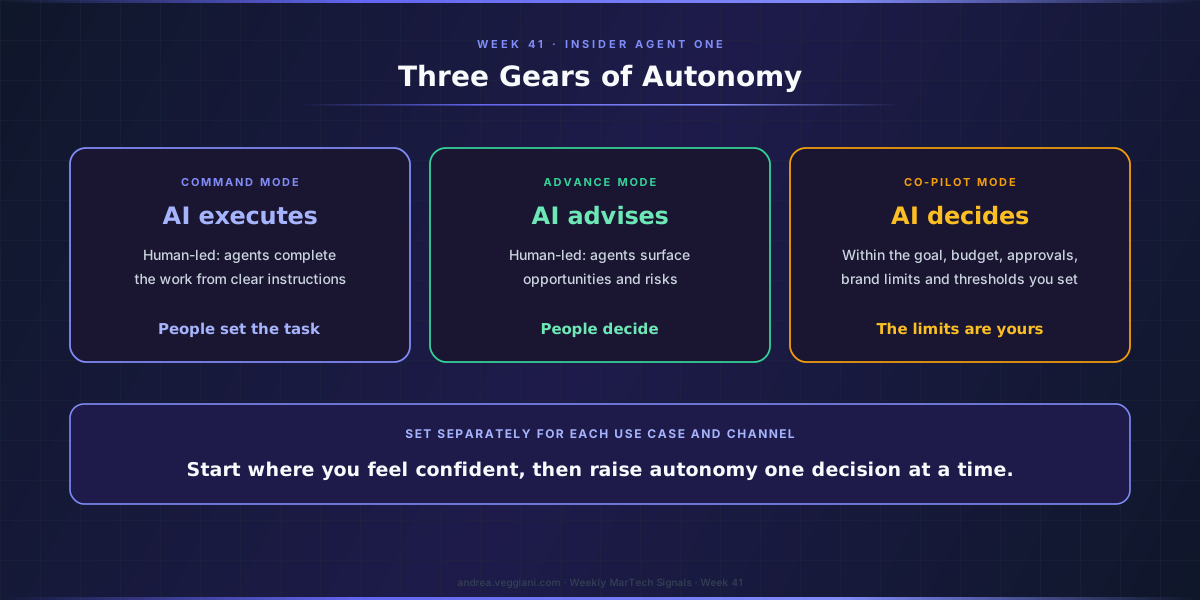
Insider published the documentation for Agent One, its agentic system for customer engagement, and the part I read twice is a three-row table. In Command Mode the work is human-led and AI-executed: the agents complete journeys, campaigns, segments, content, reports and workflows from clear instructions. In Advance Mode it is human-led and AI-advised: the agents analyse data, surface opportunities and risks, and recommend actions that people decide on. In Co-Pilot Mode the agents decide and optimise “within the goal, budget, approvals, brand limits, and performance thresholds you set.”
The sentence above the table carries the design decision: “Choose one of three modes, and set the level separately for each use case and channel.” Insider adds that teams should start where they feel confident and increase autonomy “one decision at a time.”
That framing matches how trust actually forms on the CEP programmes I have worked on. Nobody trusts automation in general. A team trusts automated send-time choices on email long before it trusts generated copy on WhatsApp, and it trusts both on a newsletter long before it trusts either on a regulated product message. A single switch for the whole platform forces the most cautious use case to set the pace for every other one, or the boldest to set the risk for every other one. A mode chosen per use case and per channel lets each move at its own speed.
In my reading, this changes what a pilot is. A pilot used to be a yes or no on a tool. With gears, it becomes a starting position on a grid of use cases and channels, and the useful planning artefact is that grid: which cells start in Advance, which can go straight to Command, and which stay out of Co-Pilot until there is evidence to move them. The grid also makes disagreements visible early. When marketing wants Co-Pilot on promotional email and compliance wants Advance everywhere, a per-channel setting gives both sides something specific to argue about, instead of a platform-wide on or off that one of them has to lose.
A rehearsal stage for the work agents do
The second piece came from 6sense, which sits on my watchlist rather than among the platforms I run in production. Its 6 October release lets teams create, test and validate workflows in a sandbox, run them against supported sandbox integrations, and “promote workflows to production through a guided process.” The same release lets Sales Intelligence exports that write accounts, contacts and leads be tested in a sandbox path before they reach production CRM, MAP and SEP systems.
What interests me is the object being rehearsed. Marketing teams are used to testing campaigns: proofs, seed lists, test sends, journey simulation. They are much less used to testing the automations that build or move data on their behalf, because those automations were usually set up once by an integration partner and then left alone. When an agent starts creating segments, syncing fields or writing records, the automation itself becomes the thing that changes most often, and it is the thing with the least rehearsal.
A sandbox with a promotion step gives that work the same shape as code: built in one place, checked, then moved. Results from a sandbox run are also something a team can show before it lets a workflow act on live data, which is more than most programmes can show today.
The order of switching is a control
Rehearsal covers what the agent will do. Sequence covers what has to exist before it does anything, and two releases put that in writing.
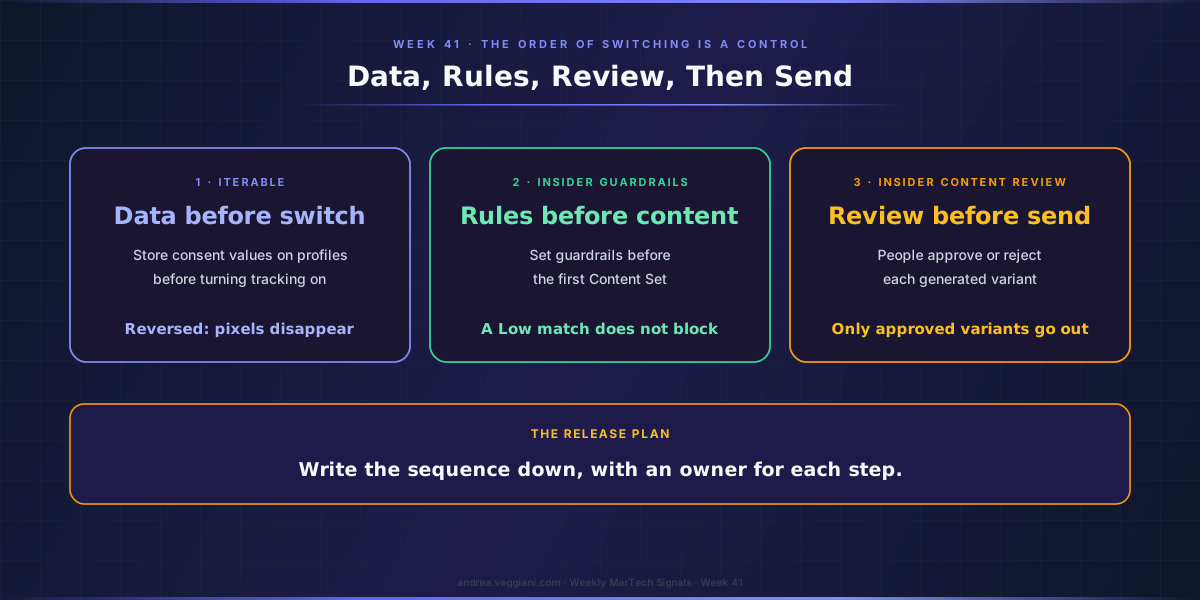
Iterable’s consent-based open tracking reached general availability, and its help article carries an instruction that has nothing to do with consent law and everything to do with rollout: “Turn this setting on only after you’ve stored consent values on user profiles.” Reverse the order, and every recipient without a stored value loses the tracking pixel at once. I covered how the consent field itself works in Part 21, so here the point is narrower. The setting is safe; switching it on first is not.
Insider’s guardrails guide for its Decision Agent says the same thing in its own terms. Guardrails are set “before your first Content Set,” values from the account’s Business DNA are filled in automatically, and the guide is candid about the alternative: “A set generated on empty guardrails is a set you will mostly reject.” It also says how the check behaves once it runs. Each generated variant receives a match level against brand voice and content rules, and “A Low match doesn’t block a variant.” People approve or reject each variant, and only approved variants are sent.
Taken together, these describe a dependency chain that a release plan should show explicitly: data before switch, rules before generation, review before send. On most programmes I see, those steps exist but live in different people’s heads. Writing them down as a sequence, with an owner for each step, is cheap, and it is the step most often skipped when a feature arrives already enabled.
Scope that grows during the pilot
The last piece is less comfortable, and I want to describe it carefully. Marketo Engage’s MCP server is in open beta, and Adobe’s operations page now lists smart list operations, among them create_smart_list, add_smart_list_rule and update_smart_list_rule, alongside operations that activate, schedule and trigger smart campaigns. The server page no longer carries the earlier note that these tools were targeted for a later release. The same operations page describes the server as providing “read-only or non-destructive endpoints” and lists operations whose names include delete, such as delete_form and delete_snippet, as recorded in this week’s Watch. I report both as written.
None of that is unusual for a beta, and growth in scope is what a beta is for. What it changes is the meaning of a pilot sign-off. A team that approved a pilot against an earlier operations list has a different tool in front of it once the same connection can write smart list rules, and nothing in the client configuration needs to change for that to happen. The capability moves on the server side.
I covered how to read a tool inventory in Part 19. The rollout lesson here concerns time: keep a dated copy of the inventory the pilot was approved against, compare it with the live list at each review, and treat a new write operation as a fresh approval rather than part of the old one. Adobe’s own advice on the server page still applies throughout, a dedicated API user with only the permissions the work needs, and the boundary that user sets is the one that holds while the list grows.
A promotion ladder, written down
The vendors now ship the rungs of a ladder. What none of them publishes, on public documentation as of publication, is the rule for moving between rungs, and I do not think it should come from a vendor. It belongs to the team that answers for the outcome. For each use case and channel, I would write down three things before the first pilot starts: the evidence that moves the agent one gear up, such as a number of clean sandbox runs or a review round with few rejections; the event that moves it back down, such as a failed check in production or a change in the tool’s scope; and the person who signs each move.
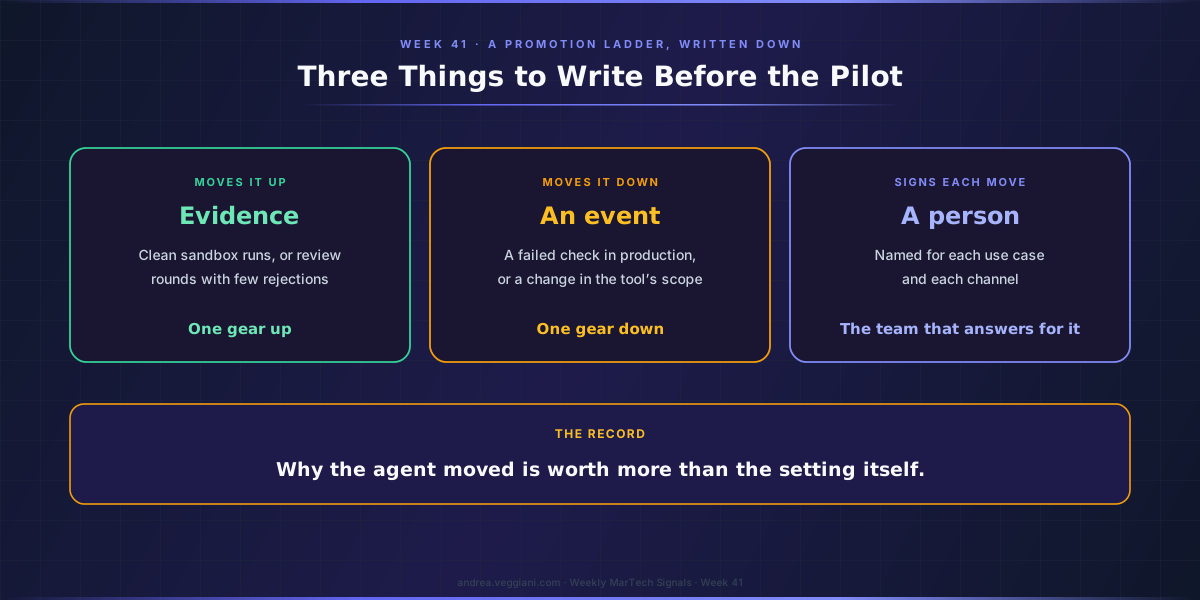
An agent earns autonomy one use case and one channel at a time, and the record of why it moved is worth more than the setting itself.
Sources
Insider
- Agent One. Source for the three modes, their descriptions, the per use case and per channel setting and the guidance on increasing autonomy.
- Guardrails Setup Guide. Source for guardrails before the first Content Set, Business DNA values, the empty-guardrails warning, the match levels and the Low-match behaviour.
- Content Sets and Content Review. Source for review of every variant and sending only approved variants.
6sense
- 2026-10-06 Product Release Notes. Source for workflows in sandbox, promotion to production and Sales Intelligence sandbox exports.
Iterable
- Using Consent-Based Email Open Tracking. Source for the instruction to store consent values before turning the setting on and its effect if reversed.
- 2026 Release Notes. Source for general availability on 6 October.
Adobe Marketo Engage
- Marketo Engage MCP operations. Source for the smart list and smart campaign operations, the read-only statement and the listed delete operations.
- Marketo Engage MCP Server. Source for the removed target note and the dedicated API user advice.
- Marketo Engage release notes, May 2026. Source for the open beta status.
The record
- MarTech Watch, Week 41. Every date and status referenced in this essay.
- Part 19, Week 37 and Part 21, Week 39. Earlier essays on tool inventories and on the consent field.
The digest behind each weekly article is produced through a structured AI-assisted scan of official release notes and product update sources. I review the output, verify the relevant signals and write the architectural interpretation.
This article draws from the Martech Weekly Digest scans run on October 8, 2026, covering 2 to 8 October across several CEP platforms and vendors. The dated record behind it is in MarTech Watch, Week 41.
If you find errors or gaps in coverage, I want to know. The process improves when the output is challenged.