7 min read
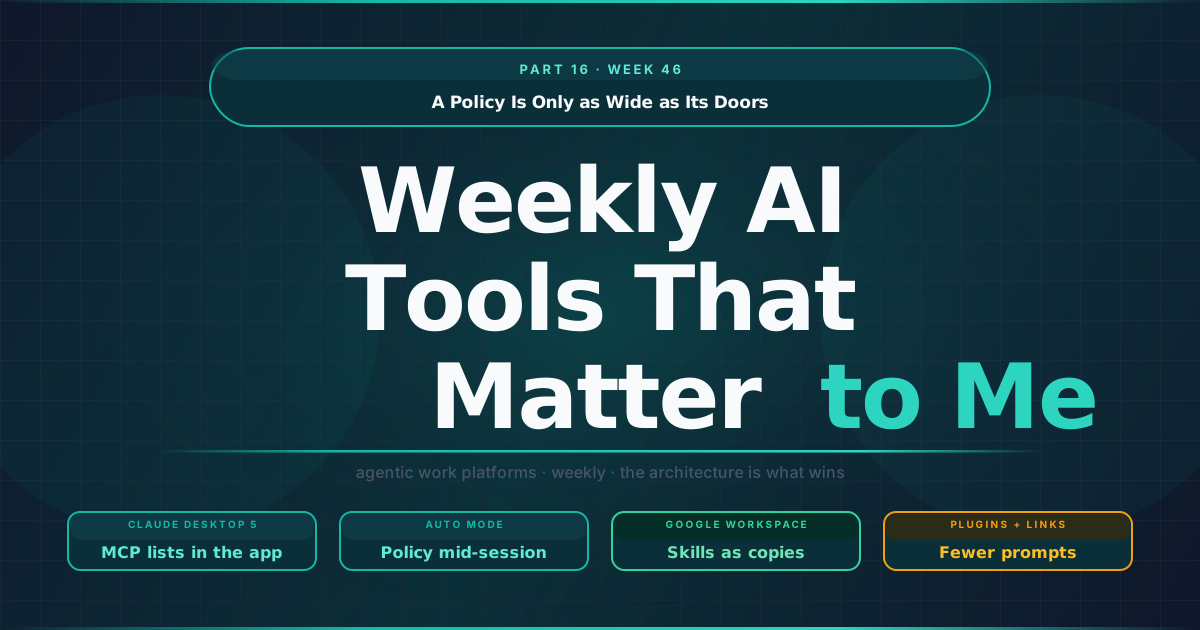
A Policy Is Only as Wide as Its Doors
Most of the AI work tools I use started as one product and became several. There is a chat window, a desktop app that runs tasks, a coding environment, and a set of connectors and plugins that all of them can reach. Each of those arrived with its own settings, and for a while that was acceptable, because few people used more than one. The Week 46 AI Watch records a release that treats this as a problem to solve, and several smaller changes that show how many places a single rule now has to hold.
TL;DR
- One list for two doors. In Claude Desktop v5.1231.0, MCP servers added in the desktop app, desktop extensions included, follow the allow list, deny list and plugins-only setting in an administrator’s Claude Code managed settings, in Code sessions on that computer, and the app warns when two sets of managed settings disagree.
- Policy reaches running sessions. Turning Auto mode off through device management now applies without a restart, and Cowork tasks in Auto mode wait for its check before each shell command.
- Some prompts move into configuration. A plugin’s own tool calls no longer show an approval card and most external links open without a confirmation, while the administrator’s “ask” still wins and the 30-day deletion approval is a number someone sets.
- Skills travel as copies. Google Workspace skills, editable as SKILL.md files, reach Gmail, Docs, Slides, Drive and Chat, and sharing one gives each recipient an independent copy.
One policy for two front doors
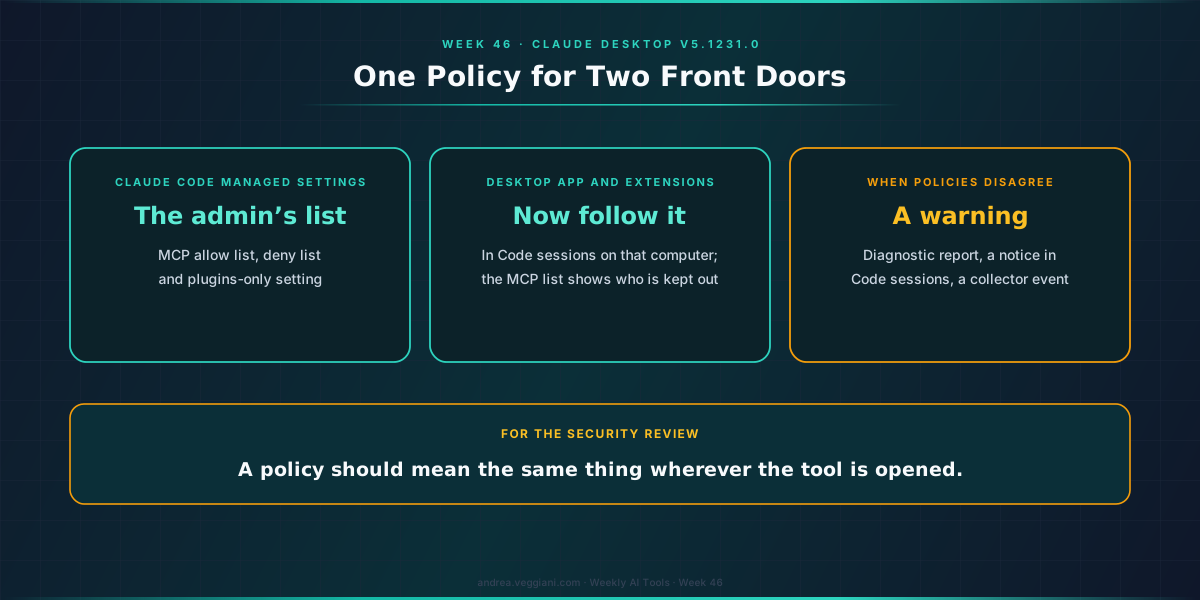
The release is Claude Desktop v5.1231.0, a new major version. The line I read twice is in the Code section: “Changed MCP servers added in the desktop app, desktop extensions included, to follow the MCP allow list, deny list and plugins-only setting in an administrator’s Claude Code managed settings”, in Code sessions on that computer. The session’s MCP list then says which servers are kept out.
To see why this matters, think of how an MCP server reaches a user. An administrator can write a list of allowed and denied servers in the managed settings for Claude Code. A person can also add a server from the desktop app, or install a desktop extension that brings one. These are two doors into the same room, and the change note implies that the list on one door did not reach the other. Now a server added from the desktop app follows the administrator’s list when it is used in a Code session.
Two other changes in the same version point the same way. The app now shows a warning when other Claude Code managed settings on a computer override the app’s own policy there: the diagnostic report shows it with the fix, local Code sessions show a notice, and the organisation’s telemetry collector gets an event. And each model ID in the allowed model list now permits “only the version it names”, so an entry written for one version of a model no longer admits the next one.
In my reading, the common idea is that a policy should mean the same thing wherever the tool is opened, and that when two policies disagree somebody should be told. For a marketing operations team this is concrete. The MCP servers in question are the ones that connect an assistant to the customer engagement platform, the CDP or the ad accounts, and the list of which ones are permitted is exactly what a security review asks for.
A policy that applies while the session runs
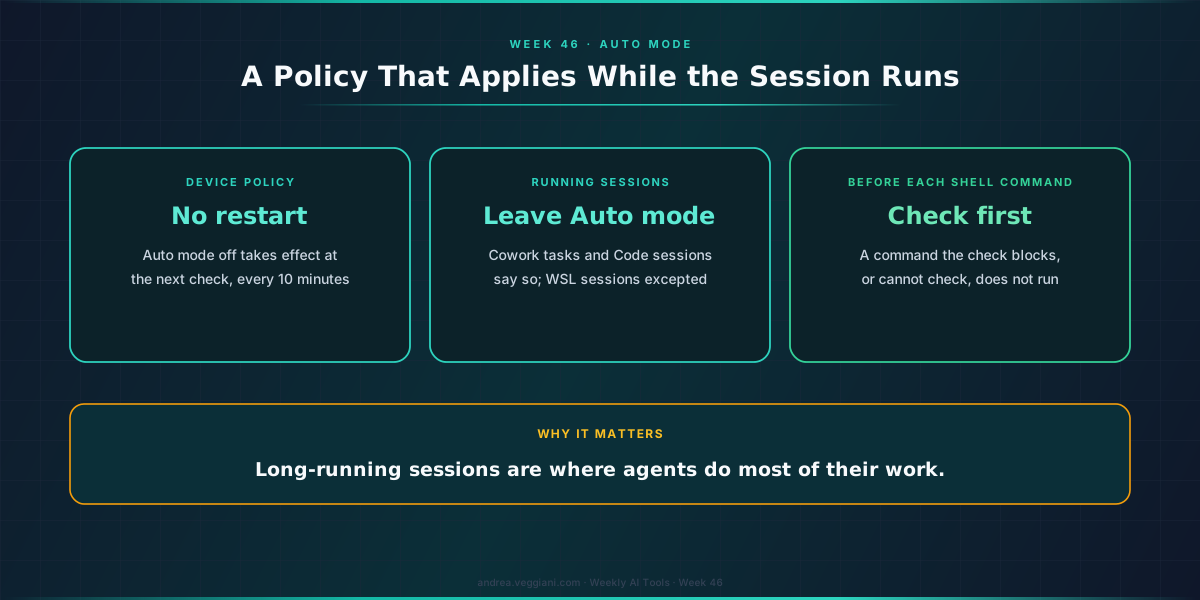
The second group of changes is about time. Until now, turning Auto mode off through device management was a setting for the next start. In this version it takes effect without a restart: at the app’s next configuration check, every ten minutes by default, running Cowork tasks and Code sessions leave Auto mode and say so, with sessions in the Windows Subsystem for Linux as the stated exception.
Cowork tasks in Auto mode also now wait for Auto mode’s check before each shell command, and the note is precise about the failure case: a command that the check blocks, or cannot check, does not run. I like that sentence because it answers the question I always ask about automated checks, which is what happens when the check itself is unavailable.
A rule that only applies to new sessions leaves the long-running ones outside it, and long-running sessions are where agents do most of their work.
Where a prompt was removed
Not every change adds a control, and a fair reading of the week has to include the ones that remove a question.
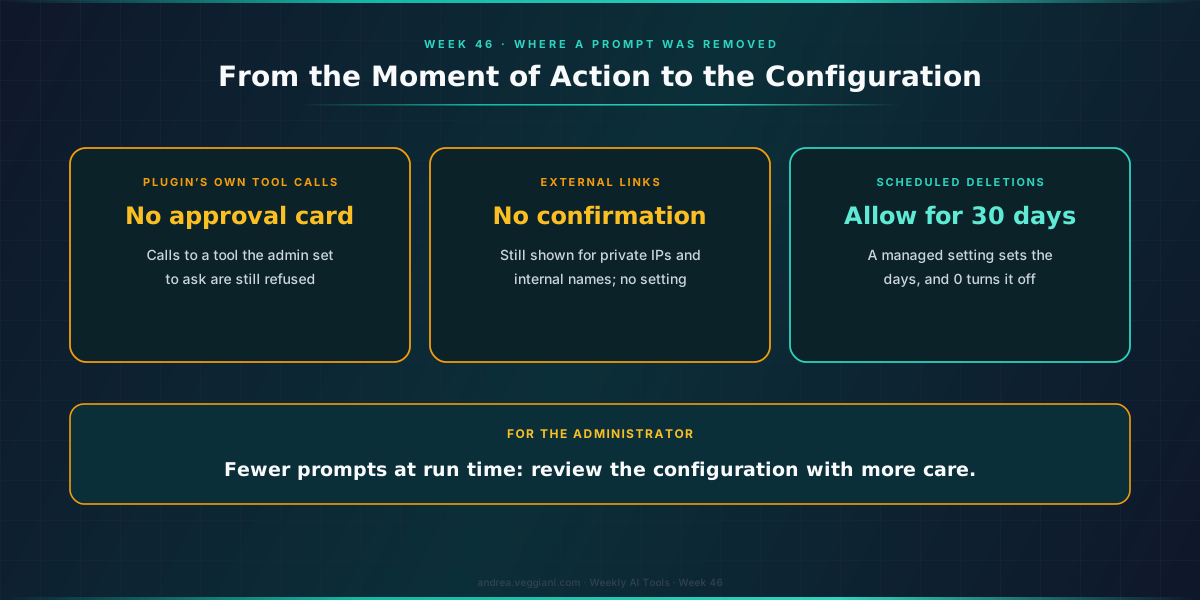
In v4.23118.1, the previous version, tool calls made by a plugin’s own code, rather than by Claude, “never show an approval card”. The note explains the effect: they now run where only the user’s approval or Auto mode would have stopped them, while calls to a tool that the administrator set to ask are refused. In v5.1231.0 the “Open external link” confirmation is removed for most links to other websites, it remains for cases such as private IP addresses and internal host names, and “No setting brings it back”. And a scheduled Cowork task that deletes files in one of its own folders can now be given “Allow for 30 days”, with a managed setting that controls the number of days or turns the option off.
I do not read these as a loosening to worry about. They move the decision from the moment of the action to the configuration: the administrator’s “ask” still wins over a plugin, and the thirty days are a number someone can set. The practical consequence is that the configuration has to be reviewed with more care, because fewer prompts will surface a mistake at run time.
Skills reach the suite
Google started rolling out skills in Google Workspace and Workspace Studio, after the delay recorded in earlier editions. A skill is a set of reusable instructions with templates and reference files, it can be edited as a “Markdown-native (SKILL.md)” file, and once turned on it can be applied automatically or called with an @mention in Gmail, Docs, Slides, Drive and Chat.
The detail I would underline for teams is how sharing works. Sharing a skill from Workspace Studio “gives recipients an independent copy”, and later edits to the original do not reach the copies. If the skill refers to files in Drive, access to those files has to be shared separately. That is a sensible default for individuals and a real question for a team that wants one approved brand-voice skill: the post describes sharing as copies and does not describe a centrally managed version, so someone has to own the redistribution. What administrators do get, according to the same post, is a switch to turn skills off for a domain, an organisational unit or a group, and log events to audit skill activity in the Admin console.
It is the same theme from the other side. A skill, like an MCP list, is a rule that people expect to hold everywhere, and the product decides how far it actually travels.
Also in the record
Gemini Enterprise made Gemini 4 Carbon generally available, turned off by default in the app and enabled by default in its AI developer tools unless the organisation uses a custom model list. OpenAI introduced Businesses in ChatGPT in beta, with a Business Hub where a company can claim its presence and add product feeds, which I will come back to in the MarTech series. On the MarTech side of the record, Braze now lets administrators approve MCP clients such as Claude and ChatGPT by name, which is the same list seen from the platform’s end, and I cover it in the same essay. All of these are in the record with dates and links.
The exercise I would suggest this week is to list the entry points your team actually uses for one assistant, and to write next to each one where its rules come from.
A policy is only as wide as the number of doors it covers, and this week one vendor started counting the doors.
Sources
Anthropic
- Claude Desktop release notes. Source for v5.1231.0 (10 November 2026) and v4.23118.1 (9 November 2026): MCP lists, the override warning, model list versions, Auto mode changes, plugin tool calls, the external link confirmation and “Allow for 30 days”.
- Skills in Google Workspace and Workspace Studio. Source for the rollout from 9 November, the SKILL.md format, invocation, sharing and the administrator controls, 10 November 2026.
- Gemini Enterprise release notes. Source for Gemini 4 Carbon availability and defaults, 10 November 2026.
OpenAI
- Introducing Businesses in ChatGPT. Source for the Business Hub and its beta status, 10 November 2026.
The record
- AI Watch, Week 46. Every date and status referenced in this essay.
- MarTech Watch, Week 46. Source for the Braze verified MCP clients item, 12 November 2026.
- Part 15, Week 45. The previous essay, on baselines, checks and dated defaults in the admin console.
- Weekly MarTech Signals That Matter to Me: Part 28, Week 46. The same week on the customer engagement beat, where a vendor dates its next release a week ahead and others record what they withdraw.
The digest behind each weekly article is produced through a structured AI-assisted scan of official release notes and product update sources. I review the output, verify the relevant signals and write the interpretation.
This article draws from the AI Tools Weekly Digest scans run on November 12, 2026, covering release notes and product updates across the major agentic work platforms. The dated record behind it is in AI Watch, Week 46.
If you find errors or gaps in coverage, I want to know. The process improves when the output is challenged.