6 min read
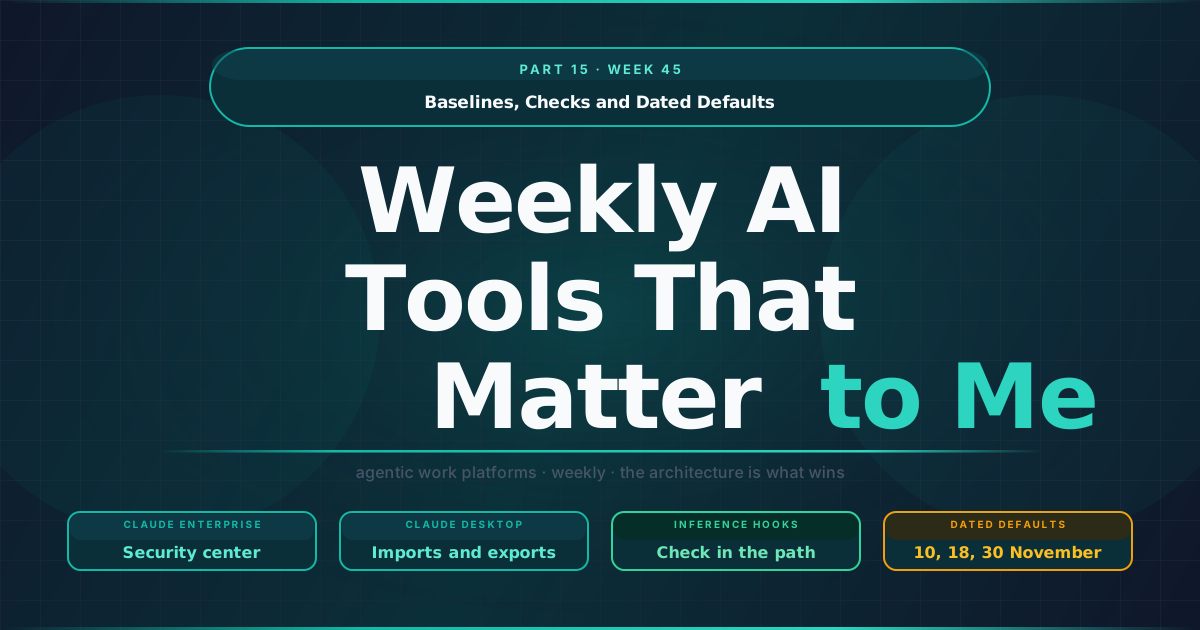
Baselines, Checks and Dated Defaults
When a marketing team starts using an AI work tool, the first conversations are about what the agent can do. The conversations that decide whether the tool stays are usually held later, with IT and security, and they are about something less visible: which settings are on, who changed them, and what happens when the vendor changes a default. The Week 45 AI Watch is mostly about that second conversation. Several releases this week give administrators better tools to answer it, and a few set dates that administrators need to know about before they arrive.
TL;DR
- Settings get a baseline. Claude Enterprise’s security center, in beta, lists the security settings for chat, Cowork and Claude Code next to Anthropic’s recommended configuration, which turns configuration drift into a diff a security team can review.
- The check reuses tools you already run. Inference hooks, generally available, send prompts and tool calls to the organisation’s own data security tools for a check.
- Defaults arrive on a date. ChatGPT Enterprise dots become available by default on 18 November after an admin preview, an unset desktopHome in Claude Desktop reads as standard from 10 November, and Opus 4.8 fast mode is removed on 30 November.
- Imports and exports carry more. Claude Desktop imports now bring tasks, plugins and skills switched off, while exports include passwords or API keys, which makes the export file something to govern.
The admin console is catching up with the agent
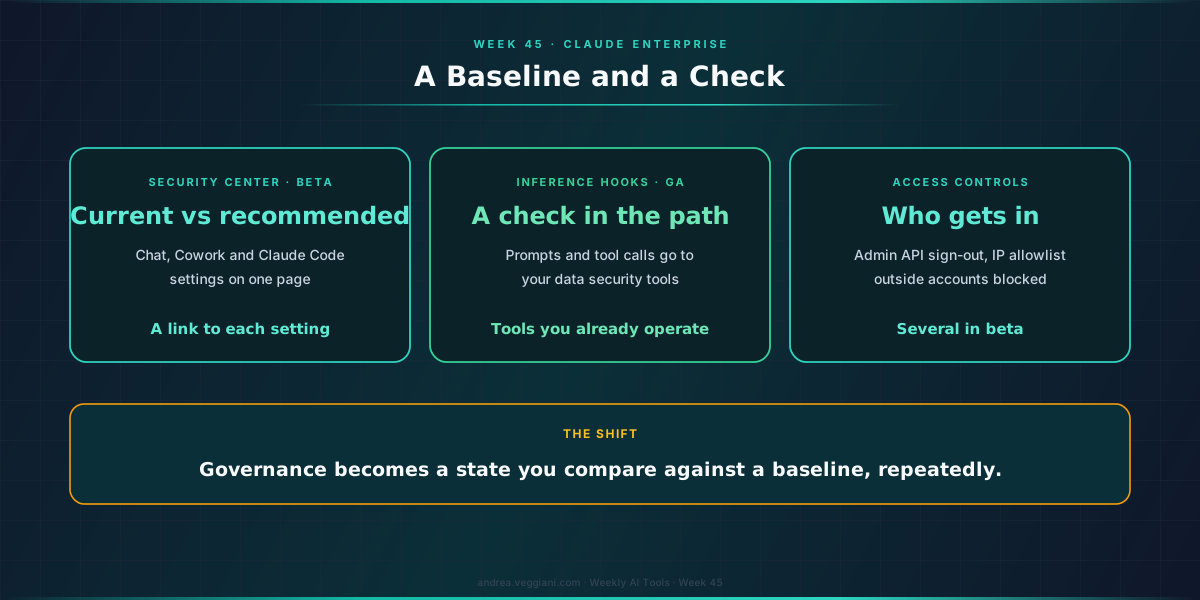
The release I would read first is Anthropic’s update on security and admin controls for Claude Enterprise. It introduces a security center, a new page in Organization settings that shows Claude’s security settings for chat, Cowork and Claude Code in one place and compares each one with Anthropic’s recommended configuration. For every control it shows the current value, the recommended value where there is one, and a link to the setting.
That sounds like a small convenience, and in a way it is, but it addresses a real problem. In the deployments I have seen, what makes an AI tool difficult to govern is the number of settings, spread across several screens and several products, changed by different people at different times, with nobody able to say whether the current state is deliberate. A page that lists every relevant control next to a reference value turns that into a diff, and a diff is something a security team already knows how to review.
The same update adds centralized management through one admin console for company-wide settings, the ability to sign members out through the Admin API, a self-managed IP allowlist, and blocking of personal and other outside Claude accounts in Claude Desktop on managed computers. Several of these features are in beta, which matters for anyone planning to rely on them in a policy document.
In my reading, the useful shift is in what governance means for these tools. It stops being a one-time configuration at rollout and becomes a state you compare against a baseline, repeatedly, as the product changes underneath you.
A check in the request path
The same announcement makes inference hooks generally available. They “send prompts and tool calls to your data security tools for a check”, so the organisation’s existing data protection tools can evaluate what is about to be sent to the model or executed by it.
In Part 14 I wrote about checks that sit at the points where something enters the system, such as a skill before it runs. Inference hooks belong to the same family, with one difference that I think matters for larger companies: the check is performed by tools the organisation already operates and trusts. For a marketing team that works with customer data, that is often the difference between a security review that takes weeks and one that reuses an existing policy.
Defaults with a date
Some of this week’s changes are not features but dates, and they are easy to miss because they arrive as single lines in release notes.
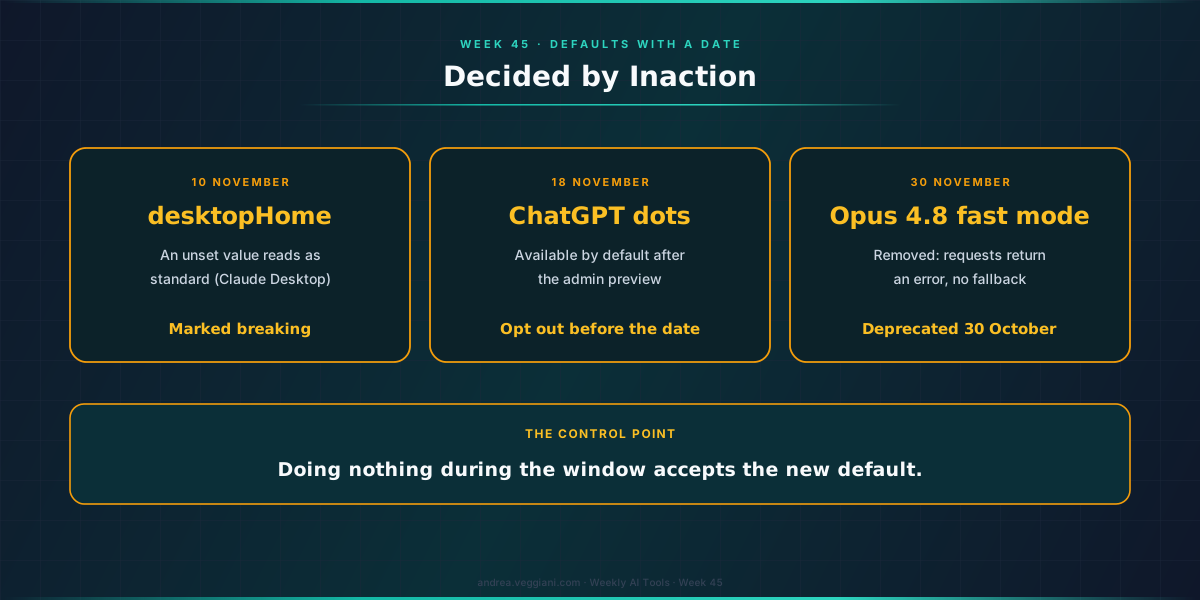
ChatGPT Enterprise made dots, which can continue working on tasks between conversations, generally available to eligible Enterprise, Edu and Healthcare workspaces “with an admin preview until November 18, 2026”. During the preview, owners and admins can enable access or opt out before dots become available by default on 18 November, and they can control which members use dots, view personal dots and their connections, and pause or resume them.
Claude Desktop recorded two dated changes in its changelog. An unset desktopHome setting will read as standard after 12:00 PM PT on 10 November, a change the changelog marks as breaking, and fast mode for Claude Opus 4.8 is deprecated and will be removed on 30 November, after which requests in fast mode on that model return an error and do not fall back to standard Opus 4.8.
What these have in common is that the decision is made by inaction. An administrator who does nothing during the preview window has accepted the new default. I would treat these windows as the real control point and keep a short calendar of them, the same way many teams already track certificate expiries or API retirements.
What an import carries
The last change I want to note is about what moves between accounts and devices, which is easy to overlook until an audit asks about it.
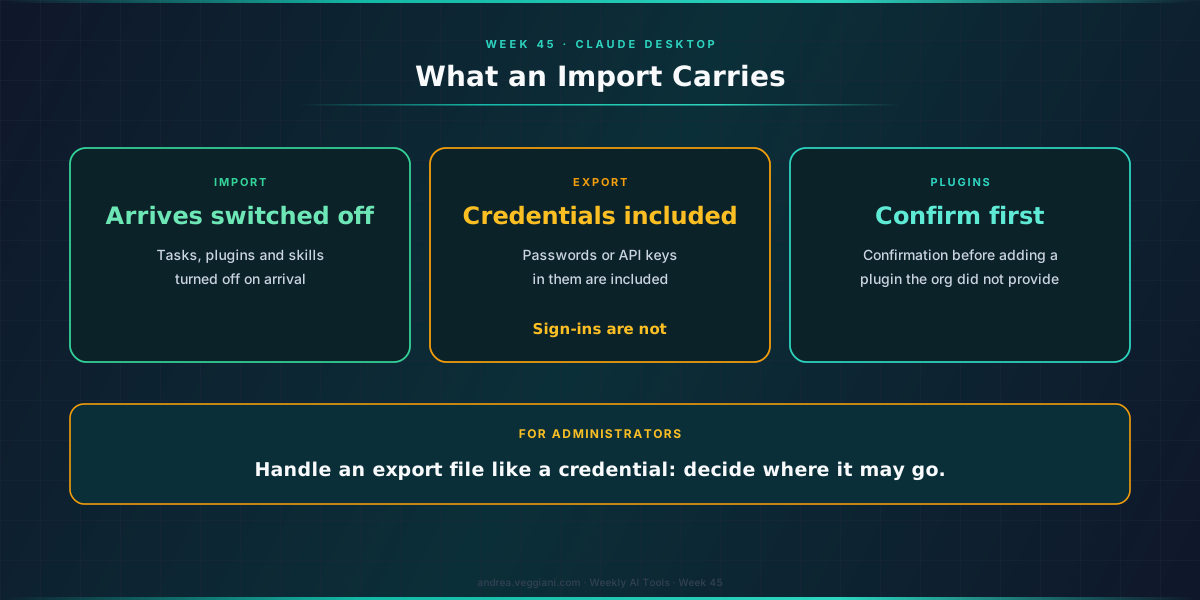
The latest Claude Desktop release extends its import feature: an import now also brings projects, memory, scheduled tasks, saved skills, uploaded plugins and some preferences from a Claude Desktop export that the user confirms is their own, with tasks, plugins and skills arriving turned off. On the export side, the changelog is direct about what is included: “Passwords or API keys in them are included”, while sign-ins and the servers’ variable values are not. The same release adds a confirmation before a user adds, uploads or turns on a plugin that the organisation did not provide, and removes the organizationPluginsUrl setting, so plugins installed through it no longer load.
In my reading, the design choice to bring imported tasks and skills in switched off is the right one, because it makes the user decide again inside the new environment. The export side deserves more attention from administrators, because a file that contains credentials should be handled like one. If export is enabled in your organisation, it is worth deciding where those files are allowed to go.
Also in the record
OpenAI announced it will acquire Pierre Computer Company, whose tools are already used in the Codex app, and Google Antigravity began rolling out remote agents that run conversations in the cloud. Both are in the record with their dates.
The agent is the visible part of these tools, but the admin console is where they are kept, and this week it gained a baseline, a check and a calendar.
Sources
Anthropic
- More visibility and control over Claude Enterprise for security teams. Source for the security center, inference hooks, centralized management and access controls, 5 November 2026.
- Claude Desktop changelog. Source for the desktopHome default, Opus 4.8 fast mode removal, import and export contents, plugin confirmation and the removal of organizationPluginsUrl.
OpenAI
- ChatGPT Enterprise and Edu release notes. Source for dots availability, the admin preview and admin controls.
- OpenAI to acquire Pierre Computer Company. Mentioned in the closing.
- Antigravity changelog. Source for remote agents in v2.29.0.
The record
- AI Watch, Week 45. Every date and status referenced in this essay.
- Part 14, Week 44. Earlier essay on checks at entry points.
- Weekly MarTech Signals That Matter to Me: Part 27, Week 45. The same week on the customer engagement beat, where tracking consent moves into the preference centre and agent access is scoped by role and by time.
The digest behind each weekly article is produced through a structured AI-assisted scan of official release notes and product update sources. I review the output, verify the relevant signals and write the interpretation.
This article draws from the AI Tools Weekly Digest scans run on November 5, 2026, covering release notes and product updates across the major agentic work platforms. The dated record behind it is in AI Watch, Week 45.
If you find errors or gaps in coverage, I want to know. The process improves when the output is challenged.