13 min read
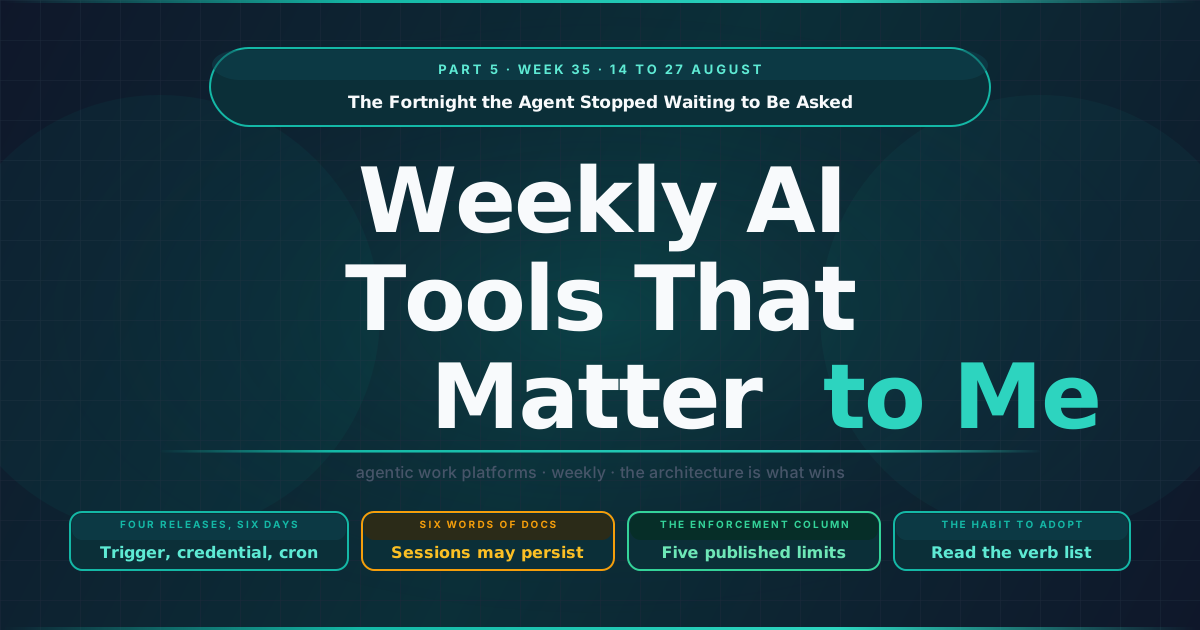
The Fortnight the Agent Stopped Waiting to Be Asked
A two-week edition. There is no week 34 issue, the gap is a planned skip, so everything between the fourteenth and the twenty-seventh of August is here.
Every edition of this series so far has tracked what agents are allowed to do. Which models, which connectors, which tools, which skills, and increasingly which of those tools write rather than read.
This fortnight the interesting change was somewhere else, because it was not in what the agent may do but in what starts it and what it is carrying while it runs.
TL;DR
- Four releases in six days gave the agent a trigger it does not control, a credentialled session it can reuse and a cadence nobody attends. OpenAI shipped webhook-triggered tasks and tasks on signed-in websites on the twenty-fifth, Treasure AI shipped Action Schedules the same day, and Google Antigravity shipped Remote Control five days earlier. None of the four described what they had collectively built.
- The persistent authenticated session is documented in six words: sessions may persist for future tasks. No lifetime, no behaviour on password rotation, no enumeration, no revocation path. We are accepting less for an agent session than we have required of a service account for twenty years.
- Anthropic published the most useful clause in any vendor governance document this year, that organisation instructions are guidance the model follows and not an enforced control. On the same day OpenAI published the enforcement column, five sentences on what its Admin plugin may not do.
- Read the verb list, not the connector count. Gemini Enterprise’s seven new data stores arrived in the same release as apply a migration, execute SQL, and pause or restore a project, formatted identically.
Trigger, credential, schedule
Four releases, three vendors, six days, and none of them described what they had collectively built.
On the twenty-fifth of August, OpenAI gave scheduled tasks webhook triggers. A task can now fire on a new Gmail message, a new message in a Slack channel, or a change to a supported GitHub pull request, which means the thing that starts an agent is no longer a clock or a person but an event in a system the agent does not control. On the same day, and this is the one I keep returning to, ChatGPT Work gained the ability to complete tasks on signed-in websites. The user enters credentials securely, OpenAI is explicit that ChatGPT cannot access or store the password, and then comes the clause that matters: sessions may persist for future tasks. The named use cases are booking appointments, completing forms and navigating an insurance portal.
Also on the twenty-fifth, Treasure AI shipped Action Schedules, which take a saved workflow and run it daily, weekly, monthly or on a custom cron expression, starting a fresh chat for each run under the creator’s account with nobody clicking anything. Treasure’s framing is that only a failed run needs your attention. Five days earlier, Google Antigravity shipped Remote Control, which drives and monitors an agent session running on your local machine from any browser.
Put those four together and you get something none of them announced: a trigger the agent does not control, a credentialled session it can reuse, a cadence nobody attends, and, in Antigravity’s case, a way to reach the whole arrangement from a device that is not the one doing the work.
To be fair to OpenAI, the webhook release does not pretend the trigger is the whole story: actions requiring approval are paused until somebody reviews them, webhook-triggered tasks are gated to the Work tier, and free accounts are held to three active tasks running at most once a day. Those are real constraints and they are stated. What is not stated anywhere is which actions fall into the requiring-approval category, whether that classification is visible to the person configuring the trigger, and whether it can be changed by them. A pause is only a control if you know what it applies to.
I traced the path for one of these in the previous edition without seeing where it went. Treasure AI defined a saved workflow as a work folder skill on the thirteenth of August. Twelve days later that skill became a scheduled job, running unattended, under a named human’s identity, against customer data. Prompt to cron in under two weeks, and the identity model is the part nobody has discussed: every scheduled run in that design carries the account of whoever happened to create the schedule, which is fine until that person changes role, or leaves, or is on holiday when a run does something expensive.
The credential is the part nobody documented
Of the four, the persistent authenticated web session is the one I would want answers about before anyone in a regulated organisation switched it on.
OpenAI has been careful with the part it can be careful about. The user enters the credentials, ChatGPT cannot access or store the password, and the boundary is stated plainly rather than implied. That is a real disclosure and it is more than most vendors offer. But the sentence that follows is the one carrying the weight, and it is six words long: sessions may persist for future tasks.
So the questions that follow are ordinary security questions, and none of them are answered anywhere I can find. How long does a persisted session last, in hours or days, and is that lifetime published or discovered. What happens when the user rotates the password, which should invalidate the session and may not. What happens when the site issues a multi-factor challenge mid-task, given that nobody is watching. Who can see that a session exists, and can an administrator enumerate the sites a workspace holds live sessions for. And the one that matters most in practice, because it is the question a security team asks at two in the morning: what is the revocation path, and how long does it take to propagate.
None of this is a criticism of shipping it. An agent that can act inside authenticated web sessions is genuinely useful, and the insurance-portal example is exactly the kind of work people should not be doing by hand. It is a request for the same documentation any other credential store has carried for twenty years. What is strange about this moment is how readily we accept less for an agent session than we would ever accept for a service account, largely because the agent arrived wearing the clothes of a convenience.
Guidance, and enforcement, published on the same day
The twenty-fifth produced two documents that, read together, are the most useful thing in this edition.
Anthropic shipped organizationInstructions in Claude Desktop, appending organisation-wide instructions to the system prompt across chat, Cowork and Code sessions. The release note ends with a sentence worth pinning above any AI policy review: they are guidance the model follows, not an enforced control.
I have read a great deal of vendor governance documentation this year and that is the most useful clause in any of it, because it draws the line most policy conversations never draw. A system prompt shapes behaviour, a permission boundary constrains it, and treating the first as the second is how an organisation ends up believing it has a policy when what it has is a strongly worded suggestion. The same release shipped things firmly on the other side of that line: settings that stop members adding their own plugin marketplaces or uploading plugins, a setting that disables local sessions entirely, tool permissions that accept argument-scoped rules rather than bare tool names, and an MCP tool-call timeout defaulting to a hundred and eighty seconds.
On the same day, OpenAI published the enforcement column. Its Admin plugin for ChatGPT Work and Codex lets an agent add and remove members, control feature and model access by role, adjust usage limits, approve or deny spending requests, and automate recurring workflows, including routing requests into Slack for reviewers and granting access automatically when a request meets policy. That is an agent with write access to the permission system itself, and what makes it the benchmark is that the announcement says what it may not do. It works within each user’s existing role and permissions and grants no broader access. Each instruction maps to a supported read or write action and returns a structured result. Workspace policies and approval requirements are honoured. Every change records what was requested, whether it completed, and what changed. And actions with broader impact can be reviewed before they are applied.
Five sentences: permission inheritance, an explicit read and write split, an approval gate, a per-change audit view, and a blast-radius threshold. Set that against what the customer engagement platforms shipped in the same fortnight, where three vendors gave agents write access to configuration and published two of those five between them. Nothing in the list is hard to build, which is the point. It is a disclosure gap.
Two opposite decisions about one click
On the seventeenth of August, Anthropic removed the option to allow all browser actions from its permission cards, leaving per-website approval as the coarsest grant available. On the eighteenth it added a short delay to computer-use permission prompts, because a send keystroke aimed at the message box could previously land on the prompt and approve it. Two days later, in the marketing world, Braze shipped a setting called Auto-approve actions whose entire purpose is to stop asking.
Neither is wrong for its context. One vendor has watched people click through a checkpoint by accident and tightened it. The other has watched people click the same confirmation forty times an hour and offered to remove it. Most enterprises will run both, in the same week, with the same people, and will describe both arrangements as having a human in the loop.
Which is the uncomfortable conclusion, and it is the same one I reached from the other direction when writing about the shape of agentic loops. An approval click is a control while it is rare, specific and legible. It stops being one the moment it becomes routine, because a routine approval is latency with a button attached, and a log full of approvals granted in under a second is not evidence of judgement. The design question is which decisions are rare and consequential enough that a person clicking actually means something, and OpenAI’s blast-radius threshold is the first published attempt at answering it that I have seen.
Read the verb list, not the connector count
Two editions ago I counted a Gemini Enterprise release that added seventeen read-only data stores against exactly one new write action, and said the ratio was a governance posture whether or not anyone intended it as one. The ratio has now inverted, and nobody announced that either.
The release of the twenty-first of August added seven new data stores in public preview, which is the headline. The line underneath it in Google’s release note is where the change actually lives. Supabase gained the ability to apply a migration, deploy an edge function, execute SQL, and pause or restore a project. Descript gained import media and publish project. Gamma gained generate. Bitly gained create and update for short links and QR codes.
An enterprise assistant that can apply a database migration and pause a project has moved well past a search connector with a write flag on it. Those are infrastructure operations, and they arrived in the same sentence as the read-only additions, formatted identically. Google did ship the other half in the same window, to its credit: connector telemetry in Cloud Monitoring now carries the invoked tool, the app and the response code as dimensions, with a latency metric in beta, so you can at least see which tool ran and what it returned. Observability arriving alongside write scope is better than the alternative, and it is more than most vendors managed this fortnight.
The habit I would recommend to anyone evaluating one of these platforms is to ignore the integration count entirely. Read the verb list. Count how many of the verbs are irreversible, and ask what happens when one of them runs at three in the morning because a webhook fired on a message somebody sent by mistake.
Two designs for memory, and you probably want both
Memory diverged this fortnight, and the two designs are complementary rather than competing.
Anthropic made it inspectable. From the twenty-fifth, memory works across chat and Cowork in the cloud, and everything Claude remembers is listed under Topics in settings, where any individual item can be edited or deleted. Categories such as health and beliefs stay out unless you turn on a setting to include them, which is a consent flag in everything but name and the first time I have seen one attached to an agent’s memory. The default for memory itself inverts by plan, being on for individuals and off for Team and Enterprise organisations, which is a defensible choice and one every administrator rolling this out should know can be reversed.
OpenAI made it isolatable. From the fourteenth, eligible unshared projects can be set to project-only memory, so conversations and memories inside a project reference nothing outside it and nothing outside references them. The cost is stated honestly, in that a project set to project-only memory cannot use ChatGPT Work.
Those are different answers to the same problem and an organisation will want both, because they solve different halves of it. Inspection answers what does this system know about me and let me remove that, which is a subject-rights question and eventually a regulatory one. Isolation answers do not let the client engagement I am working on now contaminate the one I worked on last quarter, which is a confidentiality question and, for anyone in consulting, law or healthcare, the one that decides whether the tool can be used at all.
What I would ask before letting one run unattended
The five sentences OpenAI published are the best vendor question set currently available, and they cost nothing to ask. Does the agent act within the authorising user’s permissions and grant nothing broader. Does every instruction map to an enumerated read or write action. Are approval requirements honoured rather than merely displayed. Is there a per-change record of what was requested and what actually changed. Can high-impact actions be reviewed before they apply.
To those I would add three that this fortnight made necessary. For anything that runs on a schedule, whose identity does the run carry, and what happens to it when that person changes role or leaves. For anything holding a credentialled session, how long does it live, how is it revoked, and can an administrator list them. And for anything triggered by an external event, which actions are classified as requiring approval, whether that classification is visible, and whether it can be changed by the person configuring the trigger.
The honest summary of the fortnight is that the capability arrived faster than the vocabulary. We now have agents that start themselves, authenticate as us, and run while nobody is watching, described in release notes as scheduling improvements and browsing convenience. One vendor wrote down what its agent may not do, and it did so on the same day another vendor admitted in plain language that its policy setting is a suggestion. Both of those are good documents, and between them they are most of what a security review actually needs.
The full record, with every dated item and source, is in AI Watch, Week 35.
An agent that waits to be asked is a tool. An agent with a trigger, a credential and a schedule is a member of staff, and of the three vendors that hired one this fortnight, only one published anything about what such a thing may not do, and not for the surface that worries me most.
Sources
Unattended execution
- ChatGPT release notes. Webhook-triggered scheduled tasks and tasks on signed-in websites, both 25 August 2026.
- Treasure AI, August 2026 release note. Action Schedules, 25 August, and the work folder skill they grew out of.
- Google Antigravity changelog. Remote Control in 2.9.1, 20 August.
Guidance and enforcement
- Claude Desktop changelog.
organizationInstructionsand the plugin, session and tool-policy settings, 25 August; the removal of the allow-all browser actions option, 17 August; the computer-use prompt hardening, 18 August. - OpenAI, Introducing the Admin plugin for ChatGPT Work and Codex. The five published guarantees, 25 August.
Write scope and observability
- Gemini Enterprise release notes. New data stores and write actions, 21 August; connector telemetry in Cloud Monitoring, 24 August; AI developer tools generally available with policy over file access and terminal command execution, 18 August.
Memory
- Claude release notes. Memory in Cowork, editable topics and the sensitive topics setting, 25 August.
- ChatGPT release notes. Project-only memory for existing projects, 14 August.
Also read this fortnight
- OpenAI, Zero data retention for frontier models. 19 August, and the preview of private processing for safety.
- OpenAI, ChatGPT Ads expands across Europe. 18 August, covered in the MarTech edition because a pixel and a conversions API belong on that beat.
The digest behind each weekly article is produced through a structured AI-assisted scan of official release notes and product update sources. I review the output, verify the relevant signals and write the interpretation.
This article draws from the AI Tools Weekly Digest scans run on August 27, 2026, covering the two weeks from 14 to 27 August across the major agentic work platforms. The dated record behind it is in AI Watch, Week 35.
If you find errors or gaps in coverage, I want to know. The process improves when the output is challenged.